

Guide to Building Apps with VOICEVOX Engine API
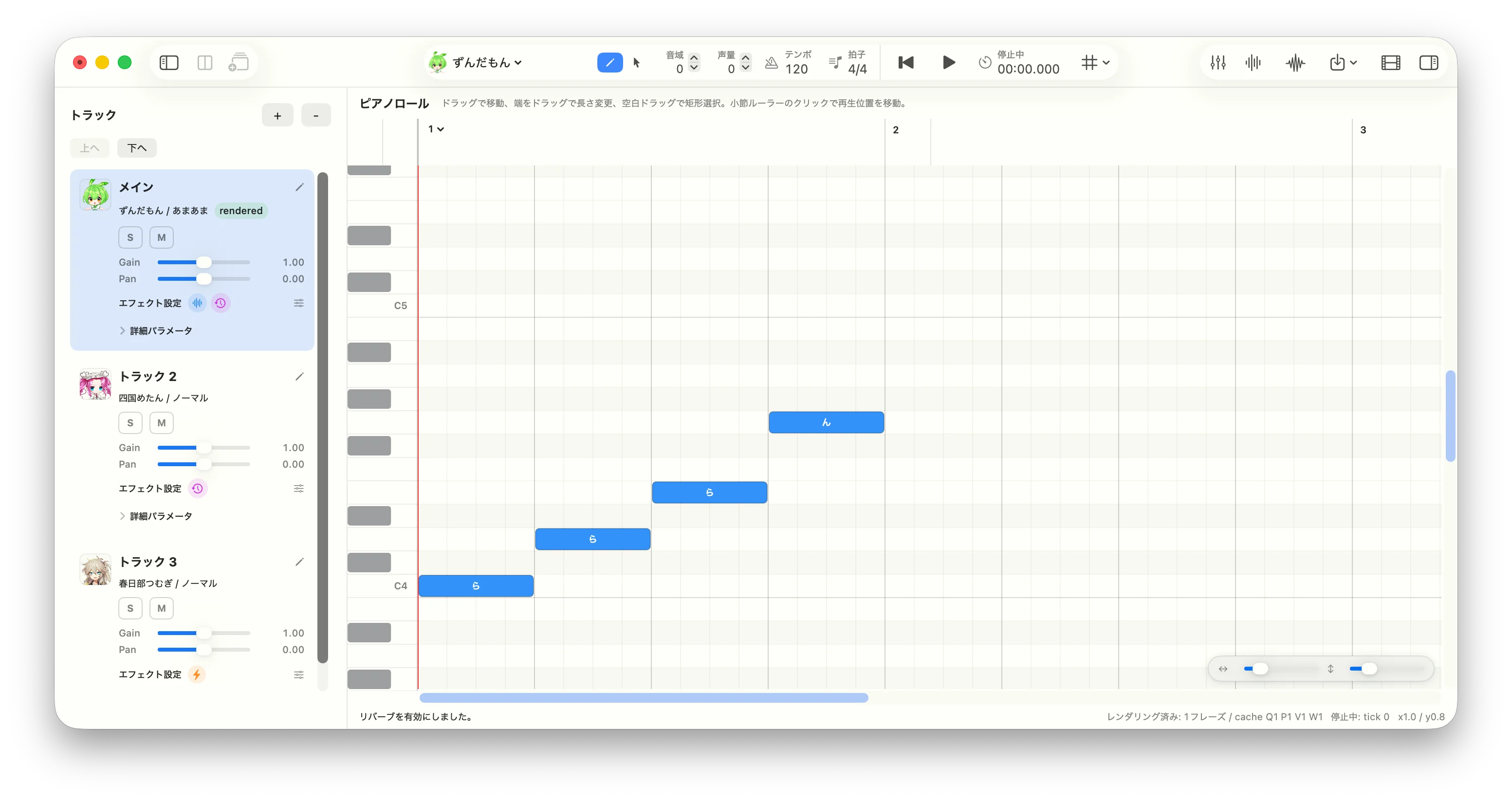
Song app
What is VOICEVOX? VOICEVOX is a free, open-source Japanese text-to-speech (TTS) and singing voice synthesis software. It features a collection of fictional characters, each with a unique voice. The most famous character is Zundamon (ずんだもん) — a green soybean-themed mascot whose voice has been used in countless YouTube videos, games, and other content in Japan. VOICEVOX provides both an official desktop editor and an HTTP API engine, making it accessible to developers building external applications.
This page is based on the original guide and documents all content without omission.
1. Register Engines by URL First
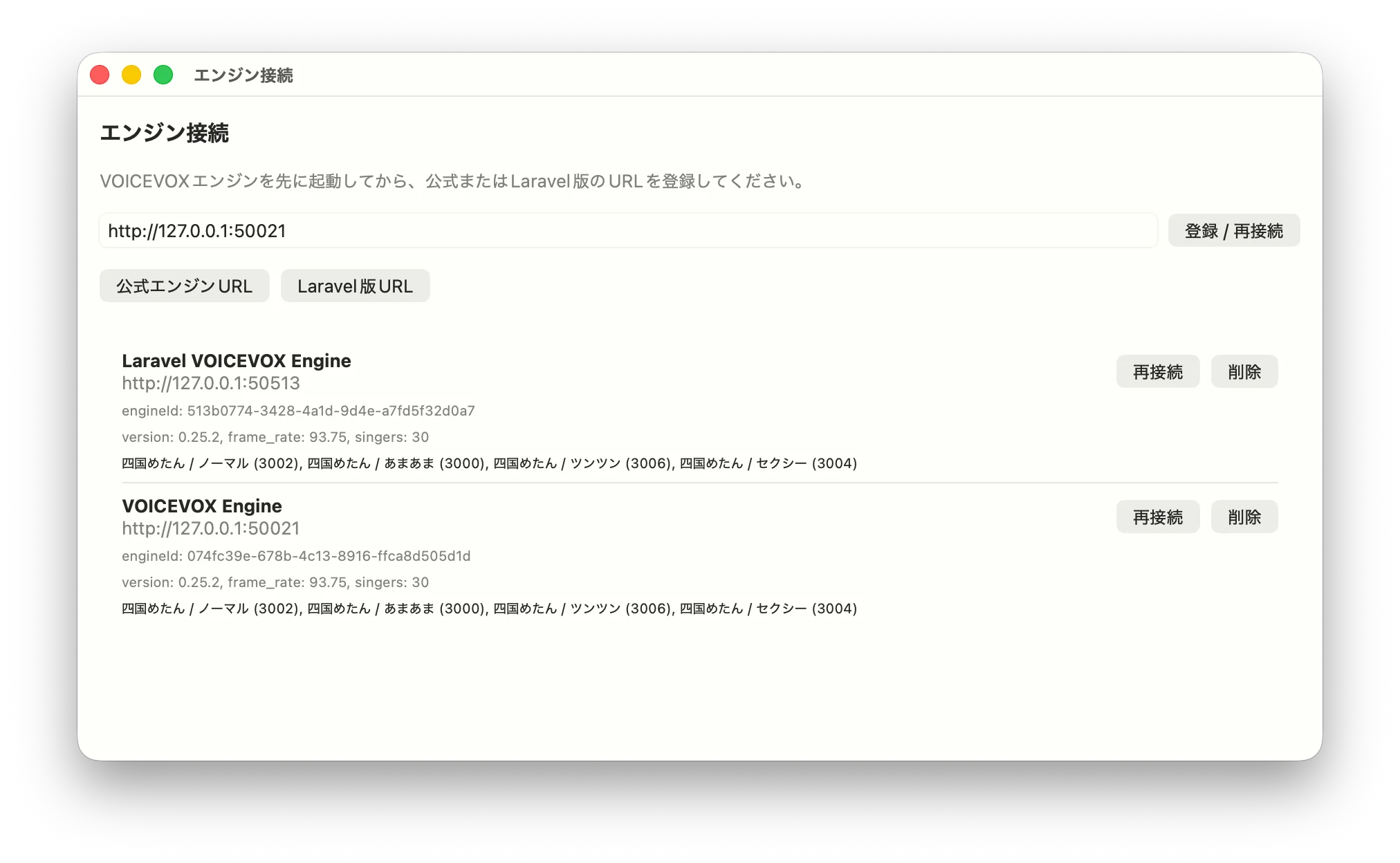
Engine settings screen
engine_manifest.json and engine-specific configuration. For an external client application, the simpler and more robust approach is to register the URL of an already-running HTTP API server.
Typical engine URLs:
The official engine has automatic port adjustment — if port 50021 is occupied it tries 50022, 50023, and so on. The Laravel engine behaves similarly when using the default port 8000, but if you specify
--port=50513 explicitly, the adjustment is disabled.
When registering an engine, don’t save just the URL string. Call these APIs as a connectivity check and store the returned metadata alongside the URL:
Critically, store
engineId and styleId in your projects and tracks — not the URL. URLs change per user environment, but engineId corresponds to the uuid in /engine_manifest and aligns well with the singer.engineId field in .vvproj files.
Xcode note: In a song app, store baseURL, engineID, name, frameRate, defaultSamplingRate, version, and singers in a RegisteredEngine struct and persist it to UserDefaults. Normalize URLs by stripping trailing slashes, query strings, and fragments so that http://127.0.0.1:50021/ and http://127.0.0.1:50021 are treated as the same engine. For macOS apps using local HTTP connections, also check your sandbox entitlements and App Transport Security settings.
2. Don’t Replicate “Engine Launching” from the Official App
Implementing the same engine-launch management as the official editor from the start means dealing with OS-specific process spawning, bundled binaries, port conflicts, updates, and log management. This is especially awkward when using alternative engine implementations, since pointing to an executable path doesn’t map cleanly to a Laravel-based engine. Start with this simpler workflow instead:- The user launches the engine beforehand.
- The user enters the URL in your app.
- Your app fetches metadata and registers the engine.
- At render time, resolve the registered
engineIdto its URL.
TextField for the URL, a “Register / Reconnect” button, preset buttons for the official and Laravel engines, and a list of registered engines. Show a ProgressView during async connection, and prefix error messages with a user-friendly explanation rather than surfacing raw LocalizedError strings.
3. Let Users Select Singers and Styles After Engine Registration
In the VOICEVOX API, the voice used for synthesis is determined by the style ID passed in thespeaker query parameter. For song tracks, each track holds a singer style, so your UI should expand the singers list from registered engines and present singer names, style names, and style IDs as choices.
Two fields are sufficient to save per track:
.vvproj format and supports multi-engine setups naturally. If you open a project and the engineId is not registered, display it as “Unregistered Engine” and prompt the user to add the URL.
Xcode note: In Swift, attach a Singer(engineId: String, styleId: Int) to each track. For display, flatten RegisteredEngine.singers into a SingerStyleOption array for use in ViewModels. When the user changes the assigned singer, invalidate any previously rendered audio for that track.
4. Use Tick-Based Song Model for .vvproj Compatibility
The VOICEVOX editor stores notes and tempos in tick units. While the engine API ultimately requires frame lengths, keeping your internal editing model in tick units is better suited for piano roll editing, tempo changes, time signatures, undo/redo, and .vvproj read/write.
Minimum required structure:
Convert ticks to seconds using a tempo map only at render time, then calculate
frame_length from the engine’s frame_rate.
Xcode note: When implementing Codable for .vvproj-style JSON, store tracks as a dictionary keyed by ID and trackOrder as a separate ordered array. Before saving, validate that trackOrder has no duplicates, no missing IDs, and no unsorted tracks — this prevents UI corruption when loading the file.
5. Implement Song Synthesis as a Four-Stage API Pipeline
Song rendering involves more steps than the talk pipeline (/audio_query → /synthesis). The basic pipeline has four stages:
For /sing_frame_audio_query, /sing_frame_f0, and /sing_frame_volume, use style ID 6000 (the singing teacher). Only the final /frame_synthesis call uses the actual singer’s styleId chosen for the track. This convention applies to both the official engine and the Laravel engine.
Keeping the relationship between Score and FrameAudioQuery consistent across requests is essential. Calculate Score.notes[].frame_length from the engine’s frame_rate, and represent silence as key: null, lyric: "".
Xcode note: Create a VoicevoxEngineSongAPI protocol and back it with a URLSession client for easy testing. Set Content-Type and Accept to application/json for JSON endpoints. Treat the response from /frame_synthesis as binary WAV Data. Map any non-2xx response to an error that includes the status code and response body.
6. Split and Cache by Phrase
Synthesizing the entire song on every edit causes full track re-generation for any small change, making the UI feel sluggish. Like the official editor, split consecutive note groups into phrases at rests and cache results per phrase. Cache these stages per phrase:
In an early implementation, it’s fine to invalidate all rendered audio for a track when any edit occurs. Build your cache keys from an input hash so you can later add phrase-level differential invalidation.
Xcode note: Use a Swift
actor to hold the rendering cache, which naturally handles state management under Swift Concurrency. Advance a generation counter when a new render starts and discard stale API responses from previous generations. Combine Task.checkCancellation() with generation checks to handle both cancellation and re-render correctly.
7. Determine Frame Rate and Rests from Engine Metadata
ScoreNote.frame_length is computed from duration in seconds and frame_rate. Don’t hardcode frame_rate — fetch it from /engine_manifest at registration time and store it alongside the engine record.
Song synthesis requires silence (rests) at the start and end of each phrase. A rest that is too short at the start can destabilize phoneme generation, so balance “actual rest duration,” “one quarter note,” and “minimum seconds back-calculated from tick” for the leading rest. Add a short silence at the end and optionally fade it out.
Also ensure that frame lengths never round down to zero or below. Short notes or notes immediately after a tempo change are especially prone to rounding errors producing zero frames.
Xcode note: Implement tickToSecond and secondToTick as pure functions with unit tests — these conversions are shared between the piano roll, the playback head, rendering, and video export. After computing frameLength = Int(round(seconds * frameRate)), guarantee a minimum of 1 frame by distributing any shortfall to adjacent notes.
8. Distinguish Between “Pre-Generation” and “Pre-Synthesis” Parameter Editing
In song mode, key range, volume range, pitch, volume, and phoneme timing edits each affect a different stage of the pipeline:
Deciding early which edits invalidate which cache entries prevents rendering results from breaking when you add UI editing features later.
Xcode note: Centralise parameter-edit application in a pure-logic type like
SongParameterEditApplicator rather than scattering it across ViewModels. Handle out-of-bounds array access and negative volumes explicitly with correction or errors.
9. Use Consistent Track Logic for Playback, Mixing, and Export
After rendering, phrase WAV files are placed on a timeline for playback. With multi-track support, if the logic for solo/mute/gain/pan differs between normal playback, full-mix WAV export, and stem export, users get unexpected results. Apply this consistent rule:- If any track is soloed, output only soloed tracks.
- If no track is soloed, output all non-muted tracks.
- For stem export, output the target track alone, independent of the current solo/mute state.
AVAudioEngine, AVAudioPlayerNode, and AVAudioMixerNode. Keep the export path separate from the playback path using offline rendering, and share WAV encoding logic between them. If an edit invalidates rendered audio during playback, stop playback and display the updated state clearly.
10. Distinguish Between “Unregistered,” “Unassigned,” and “Not Rendered” in UI
A VOICEVOX engine API app can fail for several distinct reasons:
Collapsing all of these into “Cannot play” makes the cause invisible. Surface distinct states and show the next action in the UI.
Xcode note: In a SwiftUI ViewModel, model
renderingState as an enum — idle, rendering, rendered, stale, failed — to keep button disabled state and status display consistent. Expose errors in both a status bar and an alert so users can see them regardless of where they are in the UI.
11. Separate Lifetimes of “URL” and “engineId” in Multi-Engine Setups
Multi-engine support is confusing because URL andengineId play very different roles:
Do not embed URLs in project files. Store
engineId and styleId in the project, and keep the engineId → URL mapping in app settings. This means a project received from another user can be rendered on your machine by registering the same engine with your local URL.
Xcode note: Before rendering, resolve engineId to a RegisteredEngine with something like Dictionary(uniqueKeysWithValues: registeredEngines.map { ($0.engineID, $0) }). If the engine is not found, fail early with “The engine for this singer is not registered” rather than attempting an HTTP request.
12. Separate HTTP Client, Model Transformation, and Rendering Plan in Tests
Running the VOICEVOX engine itself for every automated test is expensive. In unit tests, mock HTTP and verify request generation and state transitions on the app side. Priority test targets:
Xcode note: Use
URLSessionConfiguration.ephemeral with a URLProtocol stub to test URLSession-based clients without a real HTTP server. Inject the API into renderers through a protocol. Provide a snapshot method on the actor cache state to make it easy to assert in tests.
Recommended Implementation Order
Start with the minimal working configuration and expand from there:1
Engine URL Registration and Metadata Storage
Register a URL and store the metadata fetched from
/engine_manifest and /version.2
Singer Style List and Assignment
Display the list of singer styles and assign
engineId + styleId to each track.3
Tick-Based Song Model
Finalize the tick-based Song/Track/Note model first.
4
Four-Stage API Client
Implement
Score generation and the four-stage song API client.5
Phrase-Level Rendering
Introduce phrase-level rendering and caching.
6
Playback
Enable playback of rendered WAV files on a timeline.
7
Multi-Track Logic
Unify solo/mute/gain/pan logic across all tracks.
8
Export
Add full-mix WAV export and stem export.
9
Parameter Editing
Add pitch, volume, and phoneme timing editing.
10
Advanced Features
Move on to
.vvproj compatible read/write, video export, and other advanced features.